📖 Article
Best Monitor for Home Office Malaysia 2026
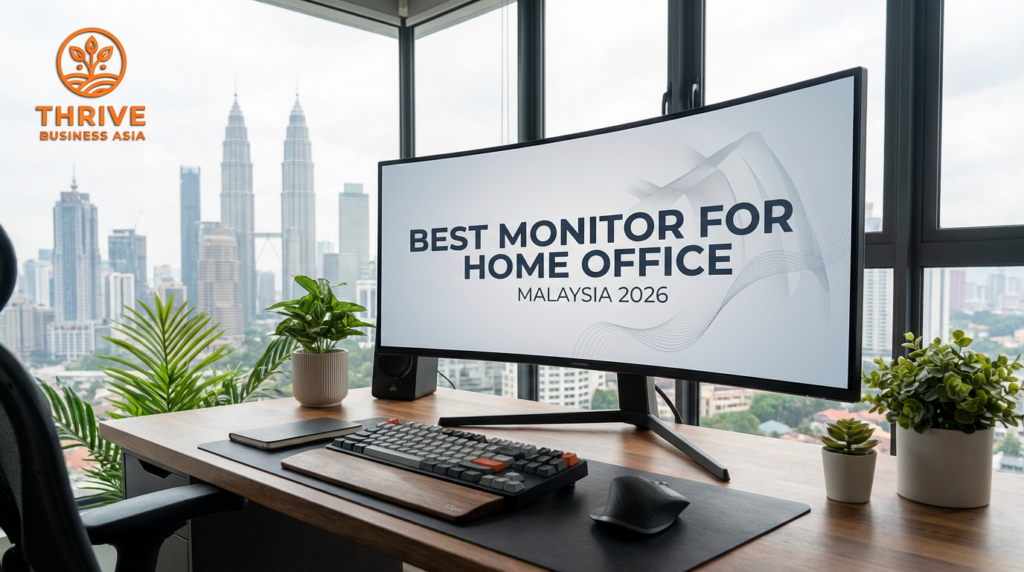
🖥️ Malaysia · Home Office Setup · Under RM1,500
Best Monitor for Home Office
Malaysia 2026 — Under RM1,500
Research shows a second monitor improves productivity by 20–30%. If you earn RM8,000/month, that’s RM1,600–2,400 in additional output value per month. A decent 27″ IPS monitor costs RM700–900. Payback period: under 3 weeks.
8
Monitors Benchmarked
20–30%
Productivity Gain
27″
Recommended Size
4/5
ROI Signal
✓ IPS panel priority — TN not recommended
✓ Shopee Mall sellers only — verified warranty
✓ 27″ FHD and QHD tiers both covered
✓ Connectivity: HDMI + DisplayPort verified
✓ Dual-monitor setup framework included
✓ Malaysian home office context throughout
📋 Quick Summary
The productivity research on dual monitors is some of the most replicated in workplace ergonomics. Studies from the University of Utah, Jon Peddie Research, and multiple enterprise productivity analyses consistently show 20–30% productivity improvements when workers switch from single to dual monitor setups — driven by reduced alt-tab context switching, better reference-while-working capability, and less window resizing friction.
For Malaysian home office professionals, a 27″ IPS panel at RM700–900 is the sweet spot: large enough to meaningfully extend the primary display, colour-accurate enough for design and content work, and widely available from established brands (Xiaomi, LG, Dell, ASUS) on Shopee Mall with full warranty support.
Quick Verdict: For most Malaysian home office professionals: 27″ FHD IPS at RM700–900 (Best Value) is the correct first external monitor. Upgrade to QHD (2560×1440) at RM900–1,200 if you do design work, video editing, or need more vertical space for code or spreadsheets. 4K at this price range is not recommended — GPU requirements and scaling issues make it a poor value purchase under RM1,500.
The 20–30% Productivity Case — The Research Behind the Number
Azri is a UX designer at a KL digital agency working fully remote. He works on a 15″ MacBook Pro. Every day he switches between Figma, Slack, Google Docs, and Notion — constantly resizing windows, losing context, re-reading references he closed to make space. He doesn’t think about this as a productivity problem because he’s always done it this way.
📊 The Research: What “20–30% Productivity Gain” Actually Means
Jon Peddie Research (2002, replicated multiple times since) found productivity improvements of 20–44% with dual monitors in knowledge worker tasks. University of Utah research (2008) found dual monitors saved users 2.5 hours per day on complex tasks involving reference and creation simultaneously. For an RM8,000/month professional working 8 hours daily: 25 minutes recovered per day at their effective hourly rate = RM16.67/day.
Conservative annual value of recovered time: RM16.67 × 264 working days = RM4,400/year. A RM800 monitor pays back in 44 working days — under 2 months. Every subsequent month delivers RM367 in net productivity value for the cost of zero additional investment.
⚠️ The Alt-Tab Tax — What Single-Screen Work Actually Costs
A knowledge worker doing reference-and-create tasks (writing while referencing a brief, coding while reading documentation, designing while reviewing a spec) switches windows an estimated 400+ times per day. Each switch costs 2–5 seconds of cognitive refocus — not just the mechanical click. 400 switches × 3.5 seconds = 23 minutes of pure switching cost daily. Add the time spent re-reading context after each switch: conservatively 45 minutes of recoverable productivity per day on a single screen.
⚠️ The Eye Strain & Posture Cost of a Single Small Screen
Working on a 13–15″ laptop screen at desk distance requires constant forward lean or squinting — particularly in Malaysia’s variable lighting conditions (bright outdoor light, dark indoor office). Eye strain from small-screen close work contributes to headaches, reduced afternoon focus quality, and faster mental fatigue. A 27″ monitor at correct distance (50–70cm) with proper brightness calibration significantly reduces this load. For remote workers, this is a daily compounding health cost that a RM800 investment resolves permanently.
The Full Annual Value Calculation
Effective hourly rate (RM8,000/month ÷ 160 hrs)RM 50/hr
Productivity time recovered per day (conservative 25 min)25 minutes
Daily value recoveredRM 20.83/day
Annual value (264 working days)RM 5,499/year
Best Overall 27″ IPS monitor (RM900 avg)−RM 900 one-time
Payback periodUnder 6.5 weeks
💸 Single Laptop Screen — Annual Hidden Cost
- Productivity loss (window switching): RM5,499/year
- Eye strain fatigue (afternoon focus): RM2,000+
- Ergonomic posture cost (neck/shoulder): ongoing
- Total opportunity cost: RM7,499+/year
✅ 27″ IPS Monitor — Annual Value
- Monitor investment: RM900 one-time
- Productivity recovered: RM5,499/year
- Eye strain reduction: measurable improvement
- Net year 1 gain: RM4,599 after cost
🔬 Panel Technology
IPS vs VA vs TN — The Decision Is Simple
Panel type is the most important spec that most buyers skip over. For a home office monitor, this decision has a clear answer.
❌ Avoid for Office Work
TN Panel
Not recommended — colour shift at angle
- Cheapest technology
- Fast response (1ms) — gaming only
- Severe colour shift when viewed off-axis
- Poor for shared viewing or content work
- Washed-out colours in bright rooms
⚠️ Acceptable — Dark Room
VA Panel
Good contrast, some colour shift at angle
- Excellent contrast ratio (3000:1+)
- Good for dark content / movie watching
- Some colour shift at wide angles
- Slower response than TN
- Acceptable for office work in dim rooms
✅ Recommended — Home Office
IPS Panel
Best colour accuracy + viewing angles
- Accurate colour at all viewing angles
- Best for design, code, writing, finance
- Good in bright Malaysian rooms
- 4–5ms response (adequate for all office work)
- Standard recommendation for home office
Malaysian Room Lighting Context: Malaysian home offices typically operate in rooms with mixed natural and artificial light — often bright during the day from windows and dimmer in the evening. IPS panels maintain colour accuracy and contrast across this lighting range. TN panels wash out in bright rooms and shift colour when viewed from even slight angles — a significant problem when you’re leaning to reach a keyboard or looking from a slightly off-centre position.
👤 Buyer Profiles
Who Benefits Most from a Second Monitor?
✅ High-Impact Buyers
- Designers and creatives working in Figma/Adobe tools
- Developers writing code while referencing documentation
- Finance and accounting professionals (spreadsheets + reports)
- Content writers referencing while drafting
- Project managers running multiple dashboards
- Anyone on a laptop as their primary work device
❌ Lower Priority Buyers
- Single-task workers (data entry, single-app work)
- Primarily video call work (one screen is sufficient)
- Field workers rarely at a desk
- Users who already have a 27″+ primary monitor
- Singapore buyers → different product selection on SG page
Recommended Resolution by Use Type
| Primary Work Type | Recommended Resolution | Tier | Price Range |
|---|---|---|---|
| Design / Video / Photography ⭐ | QHD 2560×1440 | Best Overall | RM900–1,200 |
| Writing / Code / Finance / General | FHD 1920×1080 | Best Value | RM700–900 |
| Secondary reference screen (2nd monitor) | FHD 1920×1080 | Best Value | RM700–900 |
Developer Setup
Code on primary · Documentation + terminal on secondary · QHD adds vertical space for long files
Designer Setup
Figma / Photoshop on primary · Assets, brief, references on secondary · QHD strongly preferred
Finance/PM Setup
Spreadsheets on primary · Dashboard + email on secondary · FHD sufficient at 27″
🔍 Buying Criteria
Six Specs That Actually Matter Under RM1,500
📐 27″ — The Home Office Standard
24″ monitors feel cramped as a primary display at desk distance (50–70cm). 27″ hits the optimal size-to-distance ratio for most Malaysian home office setups, showing full FHD content at comfortable pixel density (81 PPI at 1080p) or excellent QHD clarity (109 PPI at 1440p). 32″+ is an option for large desks but often requires head movement rather than eye movement — a fatigue factor over an 8-hour day.
🔌 Connectivity — HDMI + DisplayPort Both
At minimum: HDMI 1.4 for laptop connection, DisplayPort for desktop GPU connection. For MacBook users: verify the monitor includes USB-C DisplayPort Alt Mode or purchase a USB-C adapter. Monitors with only HDMI limit future GPU upgrade flexibility. For dual-monitor setups: verify your laptop has two video outputs (or use a USB-C dock) before purchasing a second monitor.
🔄 75Hz vs 60Hz — Minor for Office, Major for Gaming
For pure office work: 60Hz is adequate. 75Hz provides noticeably smoother cursor movement and window animation — a small but real comfort improvement for 8+ hour workdays. Above 75Hz (144Hz, 165Hz) provides no additional benefit for office tasks and increases cost unnecessarily. In the RM700–1,200 range: prioritise IPS panel quality over high refresh rate.
📏 Height-Adjustable Stand — Non-Negotiable
A non-height-adjustable monitor is an ergonomic problem waiting to happen. The correct monitor height for most adults: top of screen at eye level or slightly below, at arm’s length. A fixed-height stand forces compromises — either the monitor is too low (neck forward flex) or too high (neck hyperextension). Height-adjustable stands with tilt, swivel, and pivot add RM100–200 to cost but are worth every ringgit for daily 8-hour use.
Brand Warning — Generic “IPS” Claims: Some Shopee MY listings advertise “IPS-like” or “IPS-equivalent” panels — these are typically VA or lower-grade TN panels with IPS-adjacent marketing. Verify the brand is Xiaomi (Mi Monitor range), LG, Dell, ASUS (ProArt or VA series), or another recognised brand. Check the exact panel model number against the manufacturer’s spec sheet if in doubt. Generic brand “27 inch IPS” monitors frequently disappoint on colour accuracy and viewing angle claims.
🏆 Top Picks — Shopee Malaysia 2026
Choose Your 27″ Monitor
Both picks are IPS panels from recognised brands on Shopee Mall. Verify IPS panel type explicitly — not “IPS-like” — before purchasing.
🥇 Best Overall · Design + Heavy Office UseTOP PICK
LG / Dell / ASUS · Shopee Mall · 4.5★+
27″ QHD IPS Monitor — 2560×1440, 75Hz, HDMI + DisplayPort, Height Adjustable
RM 1,400+900– RM 1,200
Panel TypeIPS (true — verify in spec)
ResolutionQHD 2560×1440 (109 PPI)
Refresh Rate75Hz
PortsHDMI + DisplayPort
StandHeight + tilt adjustable
Colour AccuracysRGB 99%+
💰 Best Value · General Office + Writers
Xiaomi / LG · Shopee Mall · 4.3★+
27″ FHD IPS Monitor — 1920×1080, 75Hz, HDMI + DisplayPort
700– RM 900
Panel TypeIPS (verify — not IPS-like)
ResolutionFHD 1920×1080 (81 PPI)
Refresh Rate75Hz
PortsHDMI (+ DisplayPort: verify)
StandTilt adjustable (height: verify)
Colour AccuracysRGB ~95%
🖥️ Thrive Business Asia
Add a Second Screen — Recover 25 Minutes Every Day
27″ IPS panels from Xiaomi, LG, Dell, ASUS — Shopee Mall sellers with Malaysia warranties. Verify IPS panel type before purchasing.
📊 Full Comparison
FHD vs QHD · Best Value vs Best Overall
| Spec | Best Value — FHD IPS (RM700–900) | Best Overall — QHD IPS (RM900–1,200) |
|---|---|---|
| Panel Type | IPS ✓ | ✓ IPS (same technology) |
| Resolution | 1920×1080 (FHD) | ✓ 2560×1440 (QHD — 78% more pixels) |
| Pixel Density (27″) | 81 PPI | ✓ 109 PPI (sharper text) |
| Refresh Rate | 75Hz | ✓ 75Hz |
| Colour Accuracy | sRGB ~95% | ✓ sRGB 99%+ (design work ready) |
| Ports | HDMI (DisplayPort: verify) | ✓ HDMI + DisplayPort standard |
| Stand Adjustability | Tilt only (some models) | ✓ Height + tilt + swivel (most models) |
| Best For | General office, writers, 2nd screen | ✓ Design, code, finance, primary screen |
| GPU Requirement | Any modern GPU/iGPU | Any modern GPU (verify DisplayPort) |
The Dual-Monitor Setup Path: The most common Malaysian home office upgrade sequence is: (1) buy FHD IPS Best Value as a second monitor alongside laptop, (2) 12 months later buy QHD as the primary display and move the FHD to secondary. This spreads the investment, gives you immediate productivity gains from day 1, and avoids buying twice. If you’re purchasing your first external monitor and planning a full setup: start with FHD, add QHD when ready.
🛡️ Buying with Confidence
Three Things to Verify Before Purchasing
Verify IPS — Not “IPS-Like”
The single most important verification step in this category. IPS (In-Plane Switching) is a specific panel technology — not a marketing term. “IPS-like”, “IPS-quality”, and “wide viewing angle” are often code for VA or TN panels in budget monitor listings. Verify the exact panel model number against the manufacturer’s spec sheet, or purchase only from recognised brands (LG, Dell, ASUS, Xiaomi Mi Monitor line) with verifiable IPS panel use.
Shopee Mall = Malaysia Warranty
Monitor warranty claims with non-Mall sellers are frequently not honoured in Malaysia — grey market units require international warranty processes. LG, ASUS, and Dell all have official Shopee Mall stores with verified Malaysia warranty support. Xiaomi’s official Shopee MY Mall store carries the Mi Monitor range with local warranty. Purchase from Mall stores exclusively for any monitor above RM600.
Confirm Your Laptop Output First
Before purchasing: verify your laptop or PC has a compatible video output. Modern MacBooks (M1, M2, M3, M4 series) use USB-C/Thunderbolt — require a USB-C to HDMI or DisplayPort adapter. Windows laptops typically have HDMI. Gaming desktops use DisplayPort. For multiple-monitor setups (2+ displays): verify your GPU supports multiple simultaneous outputs — most integrated graphics handle 2, discrete GPUs typically handle 4+.
❓ Frequently Asked Questions
Monitor Malaysia — FAQ
Is FHD (1080p) or QHD (1440p) better for a 27″ monitor in Malaysia?
For general office work (writing, email, project management, video calls): FHD at 27″ is adequate — at 81 PPI, text is clear and comfortable at normal desk distance. For design work, coding, or anyone who wants sharper text and more screen real estate: QHD at 109 PPI is noticeably better and worth the RM200–400 premium. 4K at 27″ is not recommended for most setups — scaling issues on Windows and the GPU requirements make it poor value under RM1,500 in 2026.
Which monitor brands are best on Shopee Malaysia?
LG, Dell, and ASUS (ProArt/VA range) are the premium tier with verified IPS panels, strong colour accuracy, and established Malaysia warranty processes. Xiaomi’s Mi Monitor range offers the best value at the FHD tier — genuine IPS panels, good build quality, and Shopee Mall availability. Samsung monitors have strong retail presence but verify Shopee MY Mall availability and warranty terms before purchasing. Avoid generic or no-brand monitors in this category regardless of price — panel quality claims are frequently unverifiable.
Can I connect a MacBook to a Shopee Malaysia monitor?
Yes, with the correct adapter. Modern MacBooks (M1, M2, M3, M4 series) use USB-C/Thunderbolt ports. Most monitors in this guide use HDMI or DisplayPort input. You need: a USB-C to HDMI cable (RM25–40 on Shopee), or a USB-C to DisplayPort cable (RM30–50), or a USB-C hub/dock with video output. For M-series MacBooks: DisplayPort over USB-C delivers the best signal quality, particularly for QHD resolution. HDMI works well for FHD.
What is the correct height for a monitor in a Malaysian home office?
The ergonomically correct monitor position: top of the screen at eye level or 5–10cm below, monitor face tilted back 10–20 degrees, screen at arm’s length (50–70cm from your eyes). For most Malaysian adults (average height 162cm female / 170cm male): the correct monitor height is approximately 100–110cm from the floor. Verify your desk + monitor stand combination achieves this before purchasing — or plan to use a monitor arm for full adjustability.
Do I need a 144Hz monitor for home office work?
No. 144Hz and higher refresh rates are designed for gaming — where frame rates above 60fps are achievable and the visual smoothness is perceptible during fast game motion. For office work (document editing, browser, video calls, design tools): 60Hz is the visual threshold where additional frames provide no discernible benefit. 75Hz monitors at the same price as 60Hz equivalents are worth choosing — the marginal smoothness improvement in cursor movement is pleasant over an 8-hour workday. Beyond 75Hz for office use: no benefit, higher cost.
Is a monitor arm worth buying alongside the monitor?
Yes — particularly for standing desk users. A monitor arm replaces the fixed stand, reclaims desk surface space, and provides full height, depth, tilt, and rotation adjustment that no included stand matches. For a standing desk setup: a monitor arm is the correct accessory — it maintains correct viewing angle at both sitting and standing heights without requiring manual stand adjustment. Dual-monitor arms (single pole, two monitor mounts) are available on Shopee MY from RM80–200 and significantly improve ergonomic positioning in multi-monitor setups.
✅ Final Verdict
The Numbers — Thrive Business Asia Benchmark
ROI Summary — Knowledge Worker, RM8,000/Month, Single-Screen Today
| Best Overall 27″ QHD IPS Monitor (RM1,000 avg) | −RM 1,000 |
| Productivity recovered (25 min/day × RM50/hr × 264 days) | +RM 5,500/year |
| Eye strain & fatigue reduction (afternoon quality improvement) | Unmeasured positive |
| Posture improvement (correct viewing distance vs laptop) | Ongoing benefit |
| Net Year 1 benefit: RM 4,500+ · Payback period: under 7 weeks | |
Based on RM8,000/month professional. Productivity estimate is conservative — design and development tasks show higher gains in dual-monitor research.
⚡
Ready to grow your business in Southeast Asia?
From managed digital marketing to Shopee seller support — Thrive has a plan for every stage of your SME journey. No lock-ins, no agency retainers.
Disclosure: This article contains product links to Shopee Malaysia. Productivity statistics cited are based on published academic and industry research — individual results vary by work type, existing setup, and usage habits. Products selected based on verified panel type, brand warranty support, and Shopee Mall availability. Prices verified at time of publication — always verify live listings before purchasing. Last Updated: February 2026
⚡
Ready to grow your business in Southeast Asia?
From managed digital marketing to Shopee seller support — Thrive has a plan for every stage of your SME journey. No lock-ins, no agency retainers.
|
⚡
SME Go Digital Lite
Managed website + weekly promo + inbound leads. From USD 59/month. No lock-ins.
|
→ Business Health Check → Mock Interview Tool → Compare All Plans |
→ SME Product Picks — MY → SG Phone Deals → All Articles & Guides |